Table of Contents
Cable conveyor overheating can arise from supply conditions, excessive duty, mechanical resistance, restricted cooling or a component fault. Stop the machine safely and record the symptoms before replacing parts. Use the delivered machine’s manual and qualified support to decide which checks are appropriate; temperature alone does not identify the cause.
This guide is for site supervisors, maintenance technicians and equipment owners diagnosing overheating on electric cable conveyors and cable pushers. It covers the checks that can be completed on site, the readings to record, and the point at which the machine should go back to the manufacturer. It does not replace the equipment manual, the electrical safety rules on your site, or a qualified electrician’s assessment.
Stop, isolate and make the machine safe first
Do not open covers, adjust belts or probe connections on a running or energized machine. Qualified personnel must isolate, lock out and verify isolation under the approved procedure before maintenance. Allow hot surfaces to cool. Drives, where fitted, may retain hazardous charge; follow the manufacturer’s discharge and verification instructions.
Record the symptoms before anything is changed. The operating condition at the time of the fault, the running duration, the ambient temperature and the load on the cable are the evidence that distinguishes an overload from a fault. Once parts are swapped, that evidence is gone.
Check the supply before anything else
Voltage outside the rated range, phase loss or imbalance can contribute to motor heating. The response depends on the motor, drive and load, so compare measurements with the delivered configuration rather than assuming one universal cause.
Electrical measurements, particularly under-load voltage and current tests, must be performed by qualified personnel using the site’s approved electrical work procedure. Operators should not open energized covers or probe terminals. Have the qualified technician compare readings with the nameplate and manual and review the following:
- Extension cables and temporary feeds. Long, thin or coiled extension leads drop voltage under load. Confirm conductor size and length against the machine’s current draw.
- Phase loss or imbalance. A three-phase machine running on two phases will not deliver rated output and will overheat. Check all phases under load.
- Generator capacity. A generator sized for the motor’s running current may not accept its starting current, and sustained operation near its limit produces a falling voltage and rising heat.
- Connectors and plugs. Loose terminals and worn plugs create resistance, which appears as local heat and as reduced voltage at the motor.
Our 220 V and 380 V supply checklist sets out the site power checks to complete before blaming the machine.
Separate duty-cycle overload from a component fault
Machine ratings apply to a specified duty. Compare actual running periods, load and cooling intervals with the delivered machine’s nameplate and manual; diameter and force ratings alone do not establish continuous-duty suitability.
Establish what the machine’s rated duty actually is, then compare it with what the site is asking. Continuous pulling at the top of the force range, repeated back-to-back pulls without a cooling interval, and operation in a hot enclosed space all consume the same margin.
If the required duty exceeds the confirmed rating, ask the supplier and installation engineer to review the method and equipment. Compare options such as the LayPro 900 and Transmitter 600 using confirmed duty, supply and control specifications. A larger model or extra machine is not automatically a remedy for overheating.
Check belt tension, grip pressure and slipping
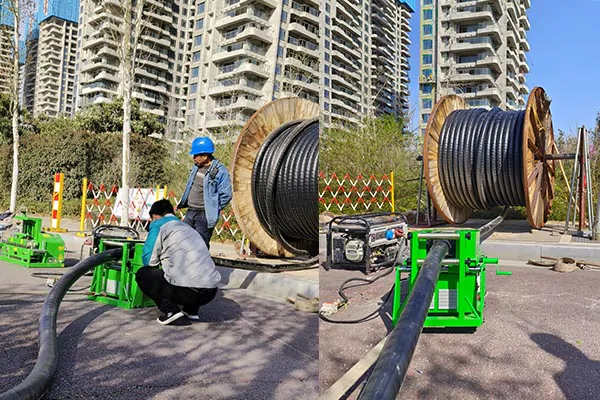
Heat also appears when the machine is working harder than it should to move the cable. Two opposite conditions both cause it.
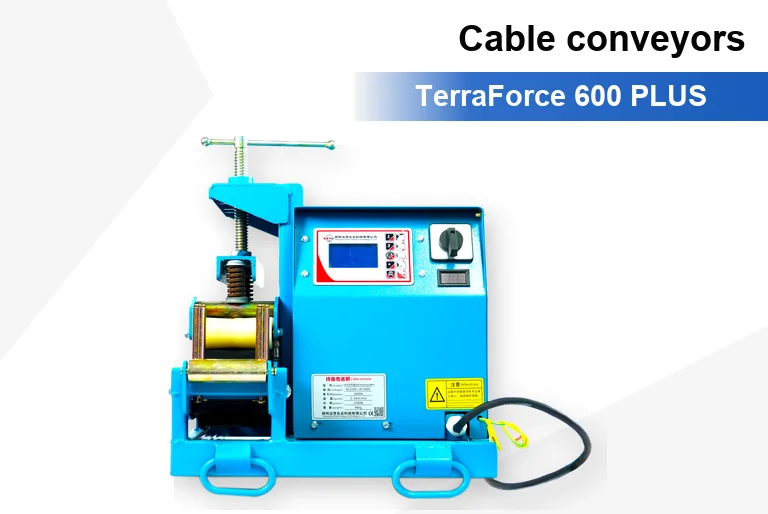
Excessive grip pressure. Over-tightened belts or excessive roller pressure increase friction, load the motor and bearings, and can deform the cable jacket. Check the setting against the manual for the cable diameter in use, and confirm it after any adjustment made on site.
Insufficient grip and slipping. A belt that slips against the cable or the drive pulley converts motor output into heat without moving the cable. Slipping is often reported as the machine “losing power”. Check belt tension, pulley condition and whether the cable surface is wet, dusty or oily. Our cable pusher slipping guide covers the readings to take before requesting support.
Have the responsible technician check cable entry alignment and support against the approved layout and machine manual. Misalignment can contribute to mechanical resistance, but correcting alignment does not rule out an electrical fault.
Check ventilation, cooling and ambient conditions
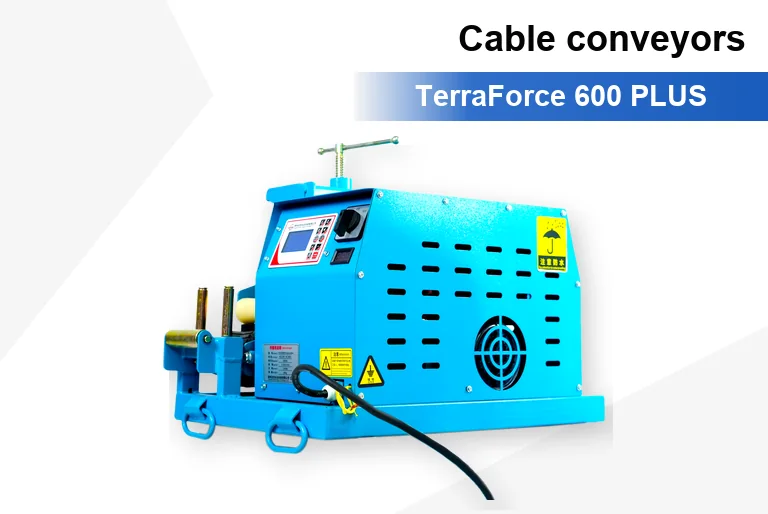
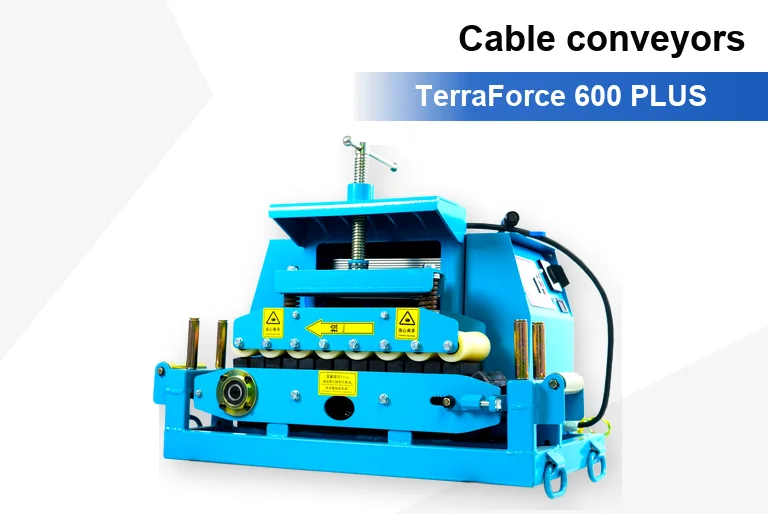
Motor and drive housings rely on airflow through slots and fins. In cable tunnels, plant rooms and dusty trenches those passages fill quickly.
Clean the cooling slots and check that covers, labels and added guards have not blocked them. Confirm the fan or forced cooling runs when the machine runs. Check the ambient temperature at the working position rather than at the site gate; an enclosed tunnel section can be substantially hotter than the surface.
Temporary enclosures can restrict cooling and site ventilation. Have the responsible supervisor review their arrangement against the machine manual and site safety plan; do not remove required guards or safety barriers. Cooling intervals do not replace required ventilation. Related: planning conveyors for substation and tunnel work.
What to record before contacting support
| Reading | How to take it | Why it matters |
|---|---|---|
| Voltage at machine terminals | Under load, all phases | Distinguishes a supply problem from a machine fault |
| Current draw | Under load, per phase | Shows overload, phase imbalance or a seized component |
| Running duration and duty pattern | From the shift record | Shows whether the duty exceeds the rating |
| Ambient temperature | At the working position | Explains reduced cooling margin |
| Belt tension and grip setting | Against the manual value | Identifies slip or excess pressure |
| Cable diameter and model used | From the cable datasheet | Confirms the machine was applied within its range |
| Machine serial and running hours | From the nameplate and hour meter | Links the fault to a specific delivered configuration |
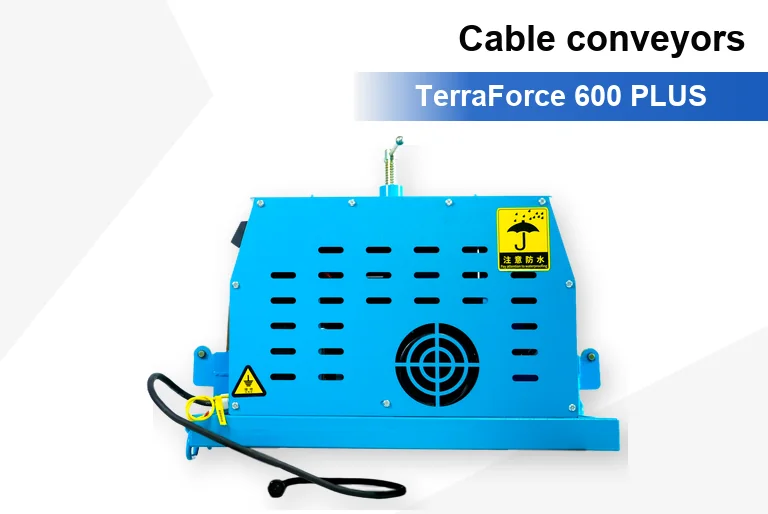
Send these readings with photographs of the installed position and cooling surfaces to support a qualified assessment. The supplier may request additional tests or a site inspection before identifying the cause or deciding a warranty claim.
Corrective actions by cause
- Low supply voltage: shorten or upsize the feed cable, correct the generator sizing, repair connectors, and re-measure under load before returning the machine to service.
- Phase loss or imbalance: stop the machine, correct the supply, and have the motor checked before restart.
- Duty exceeded: revise the method to shorten pulls, add machines, or schedule cooling intervals; consider a unit rated for continuous duty.
- Excess grip pressure: reset tension and roller pressure to the manual value for the cable in use, then verify the cable jacket condition.
- Slipping: restore tension, clean pulley and belt surfaces, check alignment, and confirm the cable surface is dry.
- Blocked cooling: clean slots and fins, clear obstructions, and confirm the cooling fan operates.
- Ambient heat or enclosure: have the supervisor review ventilation and enclosure arrangements against the equipment manual and site safety plan. Keep required guards and barriers in place; do not restart until conditions are approved.
If the readings are normal on all of the above and the machine still overheats, stop using it and refer the unit to the manufacturer with the record attached. Repeated restarts on a machine with an internal fault can turn a repairable problem into a replacement.
Cable conveyor overheating FAQ
Is it normal for the motor to feel hot after a long pull?
Do not judge motor condition by touching the housing. Accessible surfaces can cause burns, and acceptable temperature depends on the design and operating conditions. Use the manufacturer’s limits, approved temperature measurement and any alarms or protective trips; stop and seek qualified assessment if the condition is abnormal.
Can I fit a bigger motor to stop the overheating?
Not as a field modification. A larger motor changes current draw, starting characteristics, control settings and mechanical loading, and it does not address a supply or duty problem. Change the method or specify a different machine through the manufacturer.
Why does it overheat only at one position on the route?
That usually points to the local supply, a longer temporary feed, an alignment problem at that position, or higher ambient temperature. Compare the supply readings at that position with a position that runs cool.
Does a hot machine mean the cable is at risk?
Not directly, but the conditions causing the heat often stress the cable as well. Excess grip pressure, slipping and misalignment can all damage the jacket. Check the cable surface over the section that passed through the machine.
Send these details for overheating support
- Model, serial number and running hours.
- Voltage and current readings under load, per phase.
- Cable diameter, type and the grip setting in use.
- Running duration, duty pattern and ambient temperature.
- Photographs of the installed position and the cooling surfaces.
Send the record to our technical team and we will review the readings against the delivered configuration. If the machine needs to be returned, the same record shortens the assessment. Spare parts and wear items for the range are covered in the cable conveyor spare parts guide.
General reference: Baldor motor maintenance and troubleshooting guidance explains the importance of clean cooling passages and qualified maintenance. This is general motor guidance, not evidence that this brand of motor is fitted to a particular conveyor. Use the delivered conveyor and motor manuals for limits, duty and maintenance requirements, and the site’s electrical safety procedure for any tests.